


An agent dedicated to simulating and assisting humans in computer work

点击空白处退出提示



An agent dedicated to simulating and assisting humans in computer work
SphereAgent
Installation Instructions
This project only supports Windows systems. Suggest using Windows version 10 or higher. This project adopts the MIT open source protocol and welcomes technical exchanges. Official website:https://www.pcquick.cn/
Deployment Method
1.It is recommended that Python version>=3.10
Install from the official Python website: https://www.python.org/downloads/windows/
2. Use the pip command to install necessary libraries
Move to the project directory and open the command prompt, enter the following pip command
pip install -r requirements.txt
3. It is necessary to install Node.js on the computer
Install website:https://nodejs.org/
4. Perform initial usage configuration
Run Python commands in the command prompt
python config_tokens.py
Follow the prompts to complete the configuration
Project Usage Method
Ensure that the 8000 port of your computer is not occupied
1. Run desktop programs (recommended)
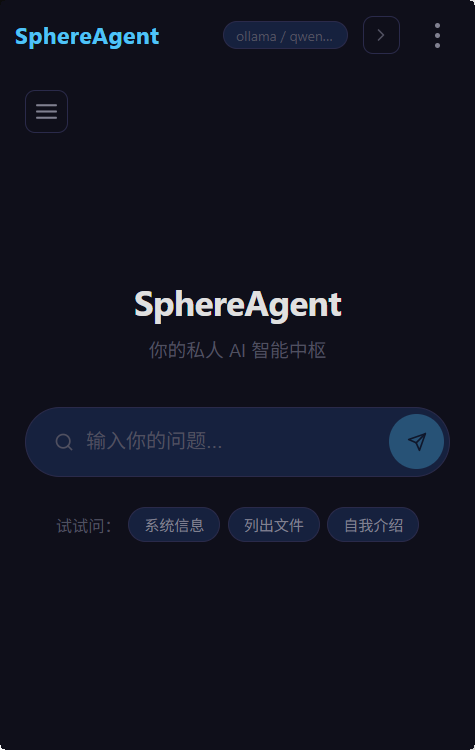
Run this command in the command line of the project to open the program. After the program starts, please note that a small arrow window will appear on the right side of the desktop. Click to expand the window.
python desktop.pyw start
Run the following command to close the program
python desktop.pyw stop
2. Open the program on the webpage (suitable for testing environments)
Run this command in the command line of the project to open the program
python run_site.py
Press Ctrl+C to stop the program
Language change methods
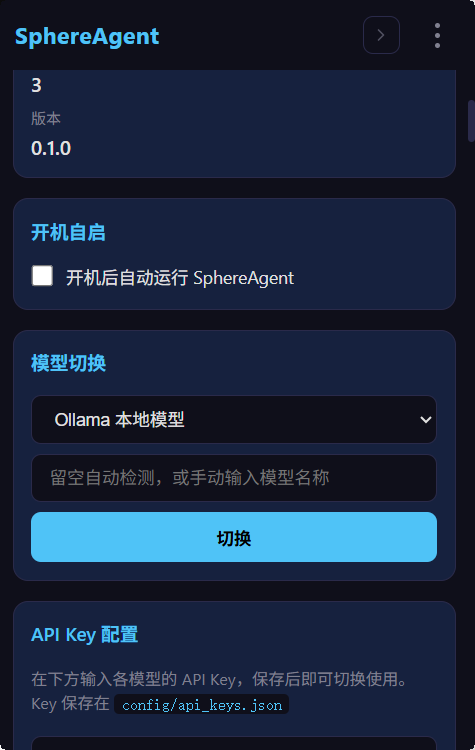
After starting the project, click on the three dots in the upper right corner of the webpage or desktop, select "Management Panel", and then click on the drop-down menu to find the "Language" option to switch.
SphereAgent
Installation Instructions
This project only supports Windows systems. Suggest using Windows version 10 or higher. This project adopts the MIT open source protocol and welcomes technical exchanges. Official website:https://www.pcquick.cn/
Deployment Method
1.It is recommended that Python version>=3.10
Install from the official Python website: https://www.python.org/downloads/windows/
2. Use the pip command to install necessary libraries
Move to the project directory and open the command prompt, enter the following pip command
pip install -r requirements.txt
3. It is necessary to install Node.js on the computer
Install website:https://nodejs.org/
4. Perform initial usage configuration
Run Python commands in the command prompt
python config_tokens.py
Follow the prompts to complete the configuration
Project Usage Method
Ensure that the 8000 port of your computer is not occupied
1. Run desktop programs (recommended)
Run this command in the command line of the project to open the program. After the program starts, please note that a small arrow window will appear on the right side of the desktop. Click to expand the window.
python desktop.pyw start
Run the following command to close the program
python desktop.pyw stop
2. Open the program on the webpage (suitable for testing environments)
Run this command in the command line of the project to open the program
python run_site.py
Press Ctrl+C to stop the program
Language change methods
After starting the project, click on the three dots in the upper right corner of the webpage or desktop, select "Management Panel", and then click on the drop-down menu to find the "Language" option to switch.

评论